




Guide On How to Set Up Volkswagen Memory Seats
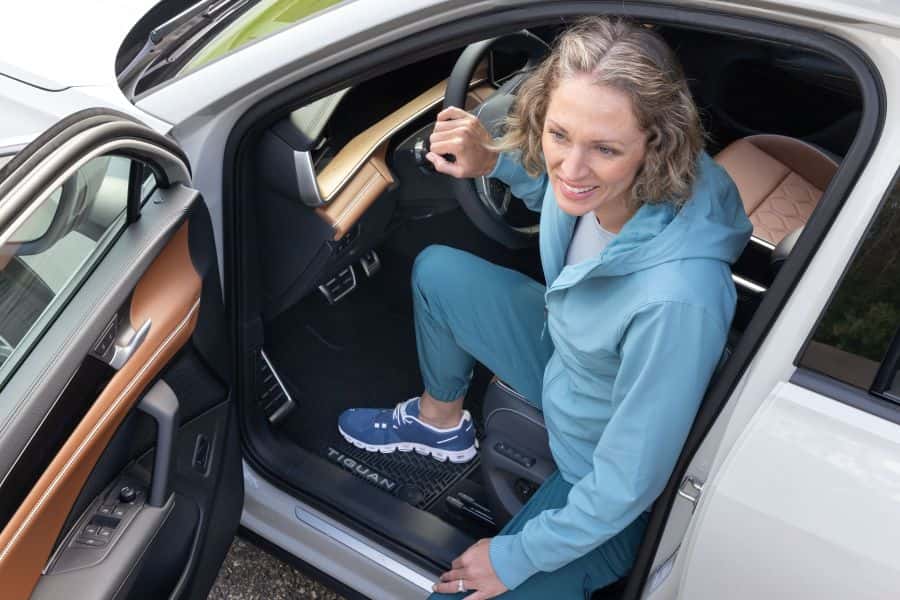
If you’re driving a Volkswagen and want to enjoy a personalized driving experience, setting up your Volkswagen memory seat is a great way to ensure your seat is always at the perfect position. Whether you’re the primary driver or sharing your vehicle with others, memory seats allow you to save seating positions for multiple drivers, so you don’t have to adjust your seat every time you get into your car. In this guide, we’ll walk you through the simple steps of how to set Volkswagen memory seat features in various VW models.
Steps to Set Your Volkswagen Memory Seat
Setting your VW memory seat is a quick and easy process that can be completed in just a few steps. Whether you’re setting the seat for the first time or adjusting it, here’s how to do it:
Step 1: Adjust Your Seat Position
Before you can save a seat position, you’ll need to adjust the seat to your preferred position. Here’s what to do:
-
Seat Adjustments: Use the seat controls to adjust the seat’s position, including forward/backward, height, tilt, and lumbar support, until you’re comfortable.
-
Steering Wheel: In some VW models, you may also need to adjust the steering wheel’s position. Make sure to adjust both the seat and steering wheel for an optimal driving position.
Step 2: Locate the Memory Seat Buttons
Once your seat is in the ideal position, look for the memory seat buttons. These are typically located on the side of the driver’s seat or the door panel. In most Volkswagen models, you’ll find memory buttons labeled with numbers, usually 1, 2, and sometimes 3 for a third memory setting.
Step 3: Save the Position
To set the VW memory seat, follow these simple steps:
-
Press the “Set” Button: On the door panel or side of the seat, you’ll see a “Set” button near the memory buttons. Press and hold this button for a few seconds.
-
Press the Desired Memory Button (1 or 2): While the “Set” button is still held, press the memory button you’d like to assign this seat position to, either 1 or 2. You’ll typically hear a beep to indicate the seat position has been saved.
If your vehicle supports more than two memory settings, press the next available button, like 3, to assign the next position.
Step 4: Test the Memory Seat Function
Once you’ve saved your preferred seat position, you can test the functionality. To recall your saved position, simply press the memory button you saved the seat to (either 1, 2, or 3). The seat should automatically adjust to the saved position. You can repeat this process for a second driver or for another desired position.
Step 5: Adjust for Another Driver (Optional)
If another driver will be using the car, follow the same steps to adjust the seat for their preferred position and save it under a different memory button. Now, each driver can simply press their respective memory button when they get in the vehicle, and the seat will automatically adjust to their pre-set position.
Volkswagen Models With Memory Seats
Volkswagen offers memory seats in a variety of models, especially in higher trim levels or specific configurations. These features provide convenience and comfort, particularly if you frequently share your vehicle with others. Below are some of the VW models equipped with memory seat functionality:
1. Volkswagen Atlas
The Volkswagen Atlas is a spacious family SUV with available memory seats for both the driver and front passenger. This makes it easy for multiple drivers to enjoy their own personalized seat position.
2. Volkswagen Passat
The Volkswagen Passat, a sleek sedan, features memory seats in select trims. This is perfect for those who want to save time and enjoy a more comfortable, personalized ride.
3. Volkswagen Golf
For drivers of the Volkswagen Golf, memory seats are available in some of the higher trims. This makes the Golf not only a fun, sporty car but also a convenient one for people who share their car frequently.
4. Volkswagen Arteon
The luxurious Volkswagen Arteon sedan comes with advanced technology, including memory seat functionality. It’s perfect for those who want both comfort and high-end features.
5. Volkswagen Tiguan
The Volkswagen Tiguan, one of the brand’s most popular compact SUVs, offers memory seats in the higher trim levels. This SUV offers convenience and comfort, particularly if you often switch drivers.
6. Volkswagen Jetta
The Volkswagen Jetta sedan, available in select trims, also offers memory seats. This allows drivers to easily adjust the seat position without hassle.
Learn More About VW Memory Seats
Understanding how to set Volkswagen memory seats is just the beginning of enjoying the convenience and comfort of your VW. If you’re considering a new Volkswagen vehicle and want to explore models with memory seats or any other advanced features, check out our new Volkswagen models. At Findlay Volkswagen Henderson, we offer a variety of models equipped with the latest technology and comfort features, including memory seats, to make your driving experience more enjoyable.
Ready to experience the comfort and convenience of a Volkswagen with memory seats? Contact us online to schedule a test drive or learn more about the features available in your next VW. Our knowledgeable team is here to answer any questions and guide you in finding the perfect Volkswagen for your needs.
0 comment(s) so far on Guide On How to Set Up Volkswagen Memory Seats